
It is Monday morning. Someone is looking for a client document. Someone else needs the team to pick a date. HR is pulling leave records, and a project manager is trying to work out what moved forward last week. None of these jobs should take long. Together, they can swallow a morning.
The Aqtos summer 2026 update focuses on those everyday moments. Across BOSS*, our business operating system, this release brings improvements to team communication, client paperwork, HR, attendance and project management. The common thread is simple: make the next small job easier, so people can get back to the work that matters.
Here is what changed over the summer, and where you will notice it in your day.
Team communication: ask, answer and find things faster
The day often starts with a question. The trouble begins when the answers end up in five different places. These updates give more of that conversation a home in the company feed.
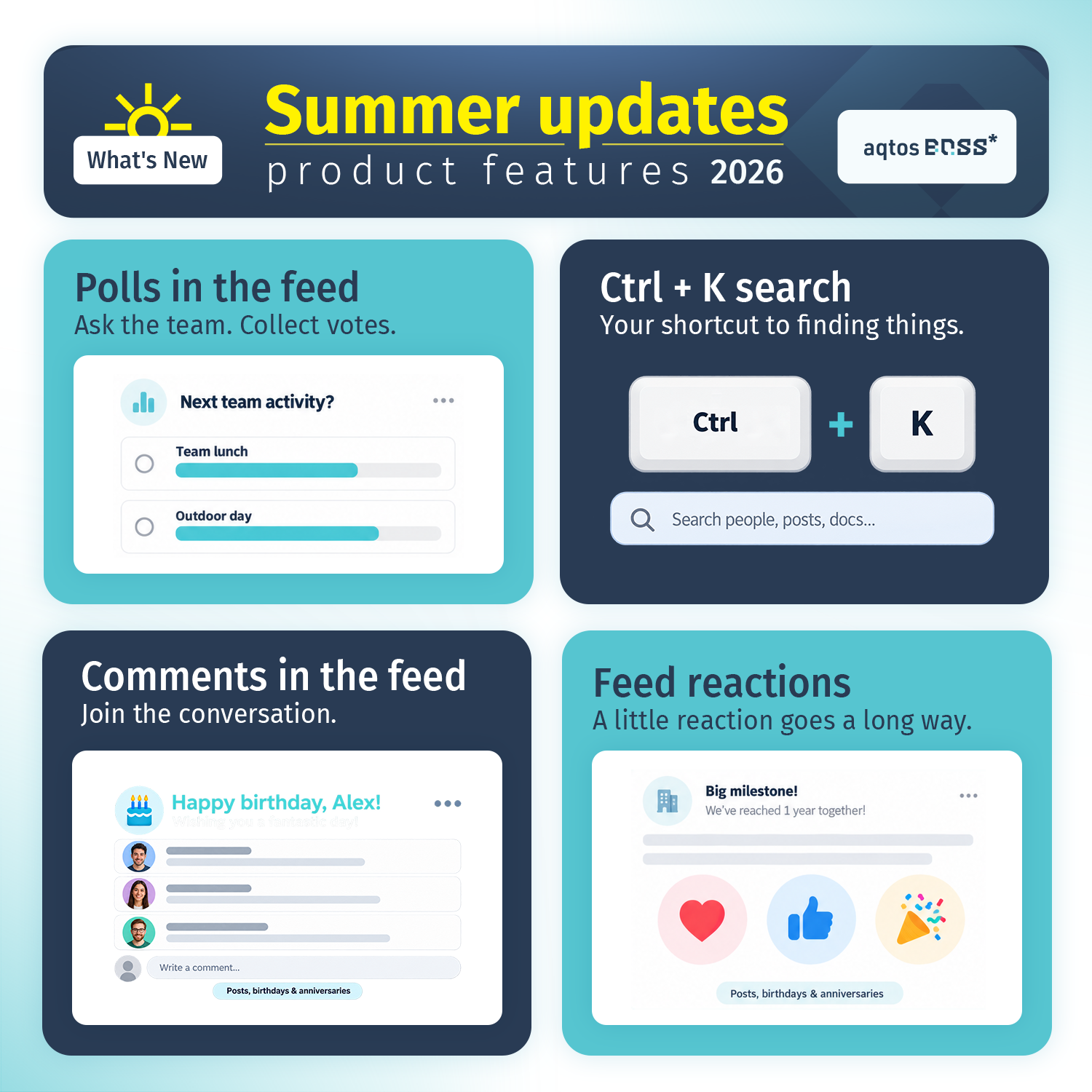
Polls in the feed: get a decision out of the group chat
Team lunch or an outdoor day? Ask the team with a poll and collect votes directly in the feed. It is a small change for the person answering and a welcome one for whoever used to count replies by hand.
Feed comments and reactions: keep the conversation together
You can now comment on feed posts, birthdays and work anniversaries, and add reactions to them too. Ask a follow-up where the update was posted. Congratulate a colleague where everyone can join in. Sometimes you need a conversation; sometimes a quick celebration says enough. Both belong beside the original moment.
Ctrl + K search: a shortcut to the thing you need
When you remember the document but not where you saw it, press Ctrl + K. The search shortcut helps you find people, posts and documents without turning a quick lookup into a tour of the app. It is the kind of habit your fingers learn before you notice how often you use it.
Together, these changes make internal team communication in Aqtos more useful in the moments between meetings.
Client documents, invoice CC and a calmer inbox
Next comes the client who needs a file, the invoice that needs another recipient, and the inbox that already has plenty to say. A few practical changes help tidy up that part of the day.
Documents in client profiles: put the paperwork with the relationship
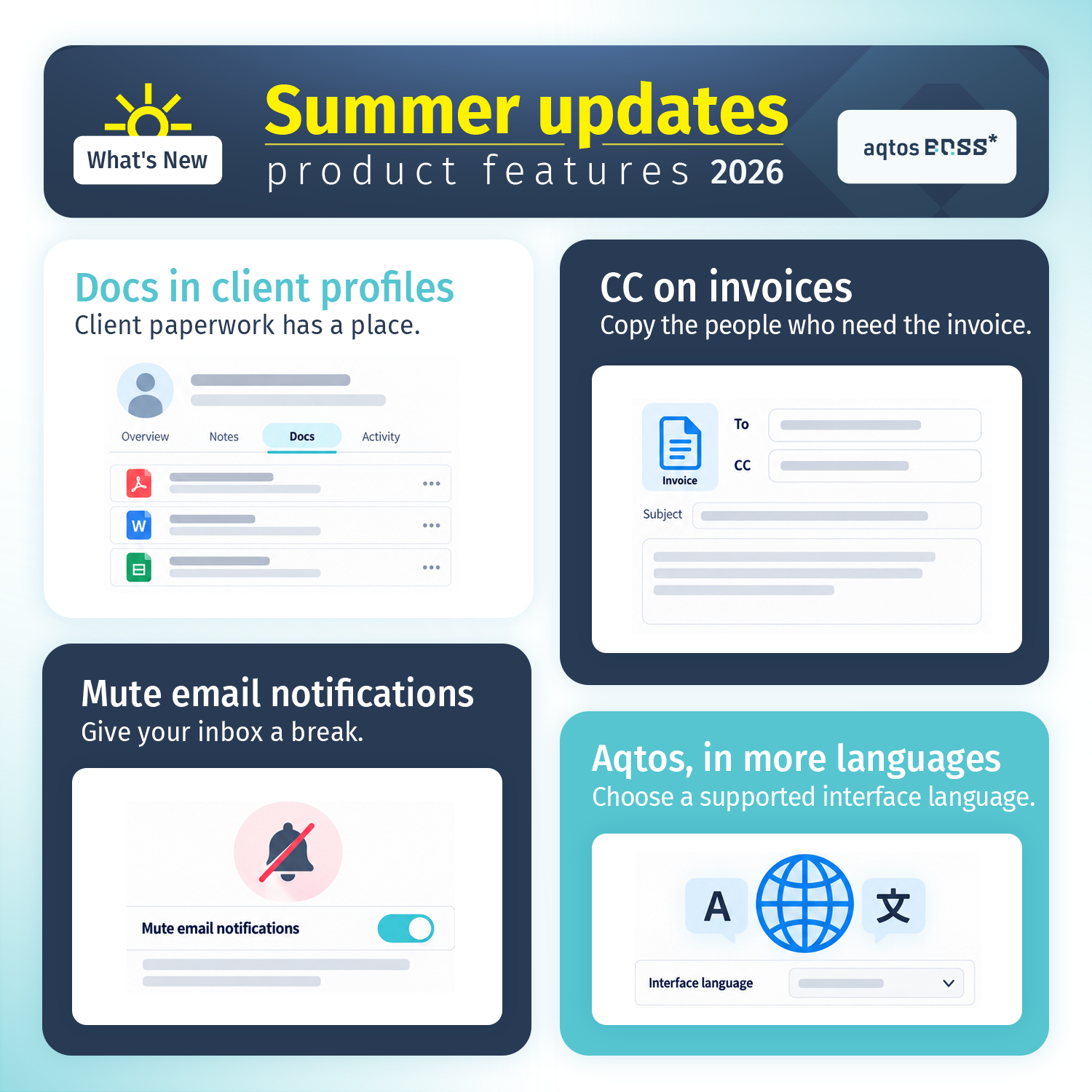
Client profiles now have a place for documents. Keep the paperwork alongside the client it belongs to, so the next person looking for it has an obvious place to start. Less “who has that file?” and more getting on with the conversation.
CC on invoices: include the people who need a copy
Your day-to-day contact and the person handling payment are not always the same person. You can now add CC recipients when sending an invoice. Include the relevant people from the start and save the extra forwarding step.
Mute email notifications and choose your interface language
Some days, your inbox needs a little breathing room. The option to mute email notifications gives you more control over that noise. Aqtos also supports more interface languages, so you can choose from the available languages and work in the one that suits you. Small preferences, felt throughout the day.
HR and recruitment: leave exports, BambooHR import and your Talent Pool
By mid-morning, the questions have changed. What leave needs to go into the report? Where are the candidates for the next hire? How do we bring our existing HR data across? This part of the summer update is for the people answering those questions.
Time-off exports: take leave records into your reports
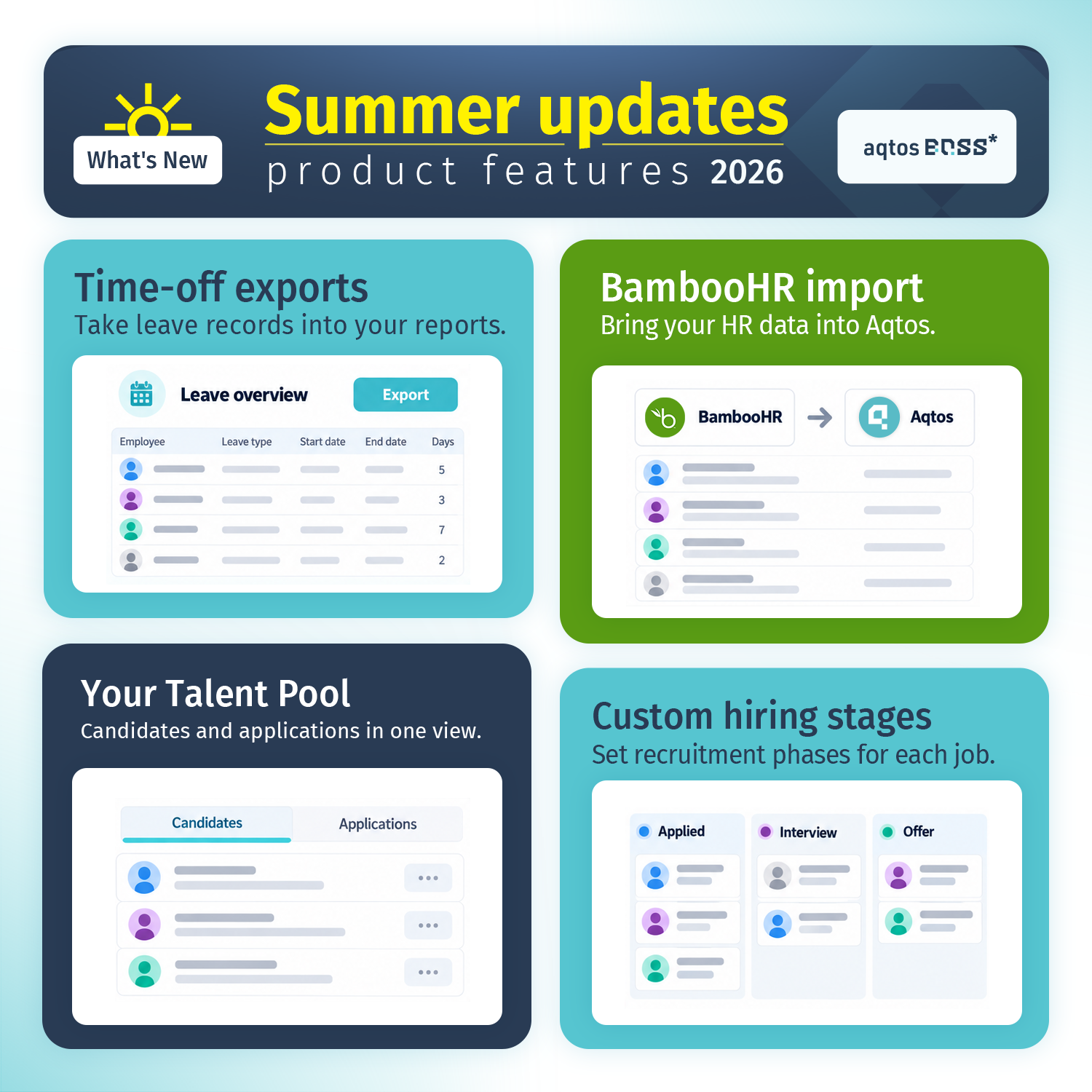
You can now export time-off records from Aqtos. When leave information needs to be part of another report, you have a way to take it with you. The overview is useful inside your HR software; the export makes it useful in the next step of your workflow too.
BambooHR import: bring your HR data into Aqtos
Moving systems comes with enough decisions already. The BambooHR import gives teams a way to bring HR data into Aqtos as they make the move. For businesses bringing people management alongside their other operations, that is a practical step toward working from one place.
Talent Pool and custom hiring stages: see the people behind the process
The Talent Pool brings candidates and applications into one view. When recruitment picks up, you have a central place to review who is in the picture. Custom hiring stages also let you set the recruitment phases for each job, so the process can reflect the role you are actually filling.
That continues the direction of our May HR update: make people administration easier to follow. Explore Aqtos HR and employee management for the wider picture.
Attendance and check-ins: fewer reminders to send yourself
There is a particular kind of admin that consists of reminding other people to do their admin. This summer, attendance gets a few changes aimed squarely at that loop.
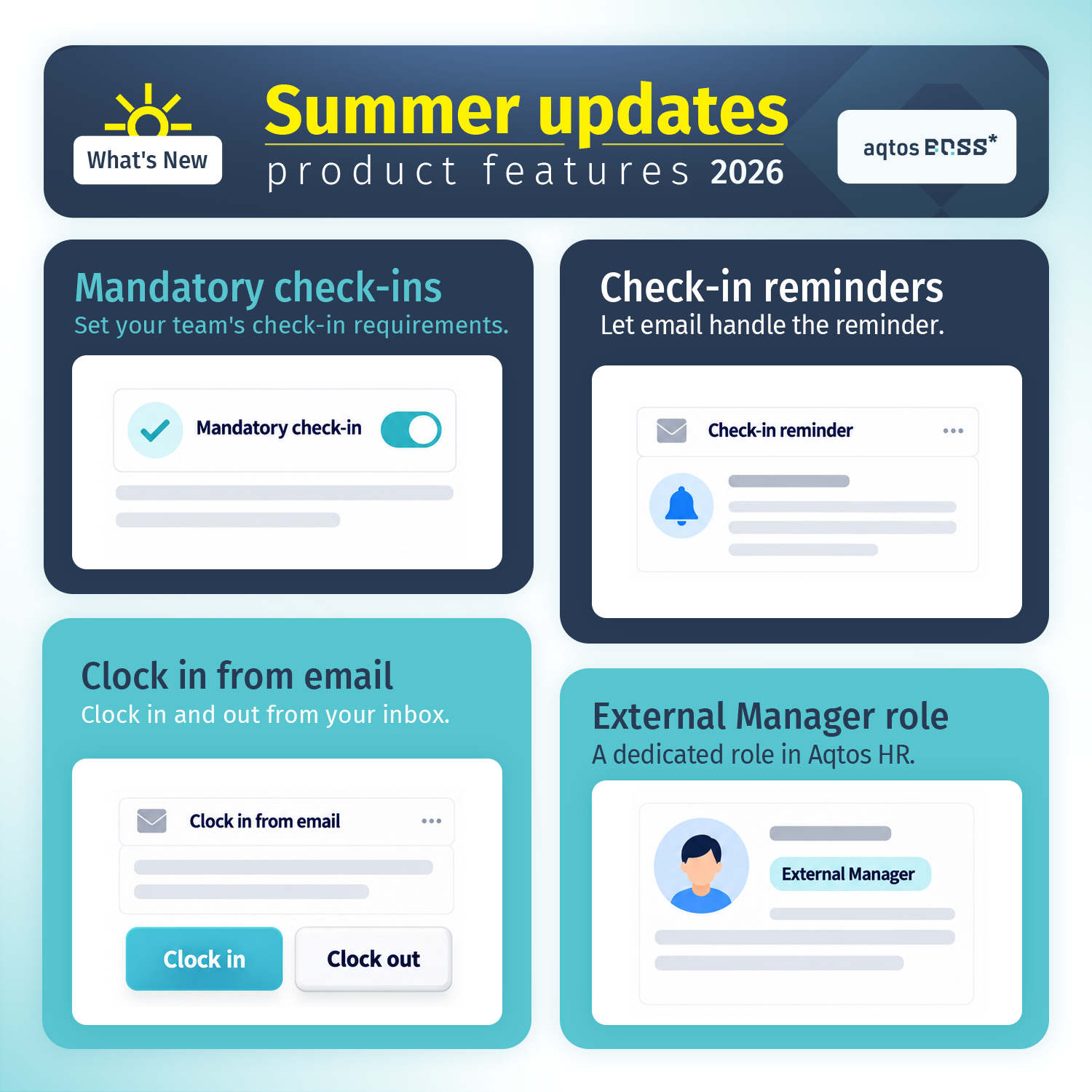
Mandatory check-ins and email reminders
Set your team’s check-in requirements with mandatory check-ins, then let email reminders handle the nudge. Expectations are clearer, and remembering to remind everyone becomes less of a job in its own right.
Clock in and out from email
You can now clock in and out from your inbox. When email is already open at the start or end of the day, the action is right there. One small routine becomes easier to fit into the way people already work.
A dedicated External Manager role in HR
Aqtos HR now includes an External Manager role. It gives that working relationship a dedicated role in the system, reflecting the fact that the people involved in managing a team do not always fit the same internal job structure.
Project and task management: a clearer view of the work
By the afternoon, attention turns back to delivery. Create the task. Check the details. See which projects are moving. The project management updates focus on making those repeated actions easier to read and use.
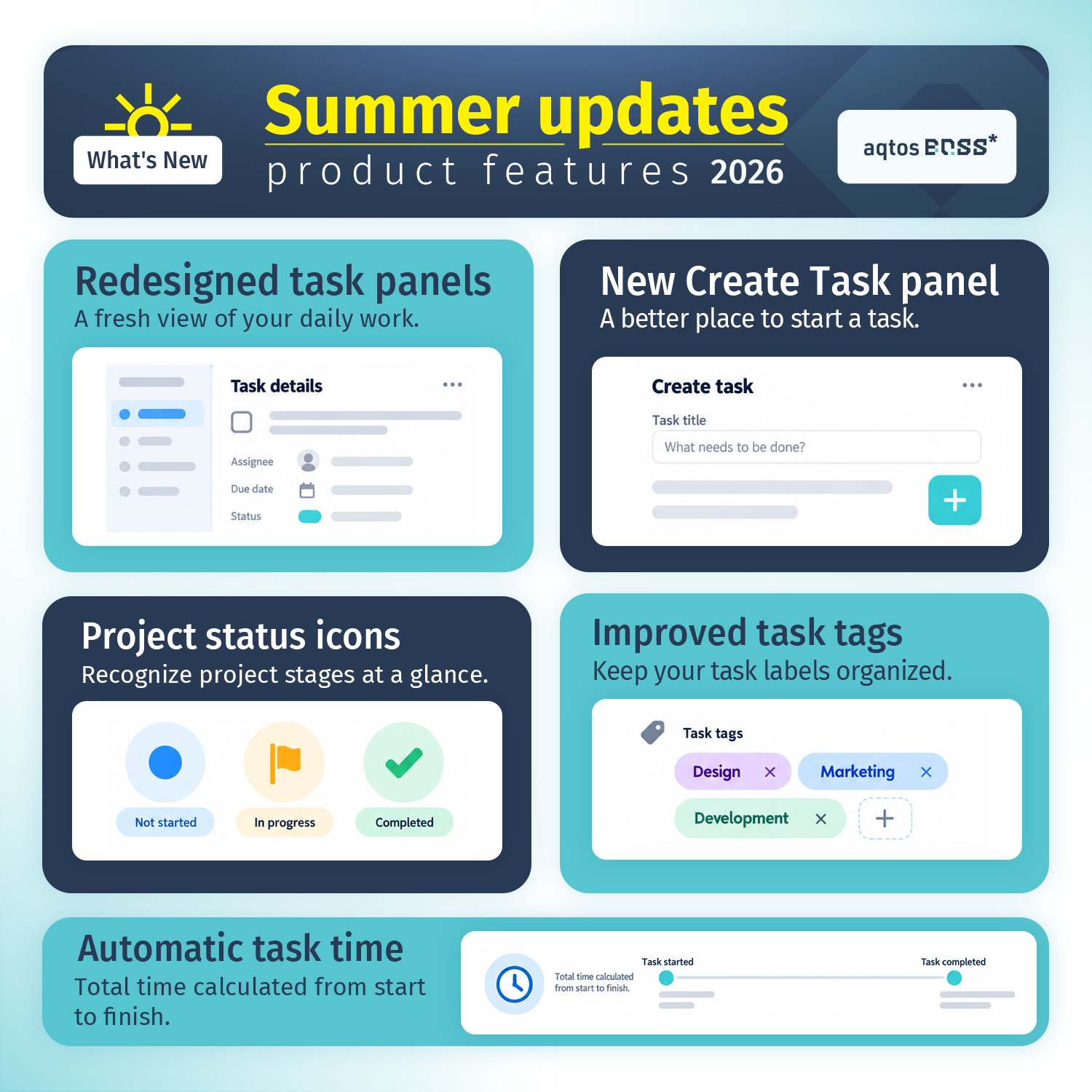
Redesigned task panels and a new Create Task panel
Task panels have a refreshed layout, and the Create Task panel has been redesigned too. You get a fresh view when reviewing task details and a better place to begin when a new piece of work arrives. These are screens teams return to all day, so everyday usability matters.
Project status icons and improved task tags
Project status icons help you recognize stages such as not started, in progress and completed at a glance. Improved task tags help keep labels organized. Together, they make it easier to scan the work and pick out the context you need before opening the next task.
Automatic task time: calculate the span from start to finish
Aqtos now calculates total task time from start to finish automatically. That gives you a view of the time between a task starting and being completed, with less manual calculation when you look back at how work moved through the project.
See how these updates fit into project and task management in Aqtos BOSS*.
That is the Aqtos summer 2026 update
A poll answered. A document found. The right person copied on an invoice. A task that is easier to read. None of these needs a meeting to explain why it helps.
Put them together and you get the kind of progress we care about: a working day with fewer loose ends. Open Aqtos and try the changes in your own routine, or get started with Aqtos BOSS* if you are new here.
And if there is still a small, recurring job getting in your way, tell us about it. That is a good place for the next update to begin.
 fits
fits